Typography Stylist styles fonts. It does not supply them. There are four ways to make a font available, at Settings → Typography Stylist → Custom Fonts.
Which method should I use?
| Method | Use it when | Files hosted |
|---|---|---|
| Upload a webfont kit | You have licensed webfont files | On your server |
| Adobe Fonts | You have a Creative Cloud subscription | By Adobe |
| Custom font definition | Your theme or another plugin already loads the font | Where they are now |
| WordPress Font Library | The font is installed in WordPress 6.5 or later | By WordPress |
The plugin can also register each new webfont kit in the WordPress Font Library. The setting is Automatically register newly uploaded fonts in the WordPress Font Library (recommended) on the Options tab. It is on by default.
How do I upload a webfont kit?
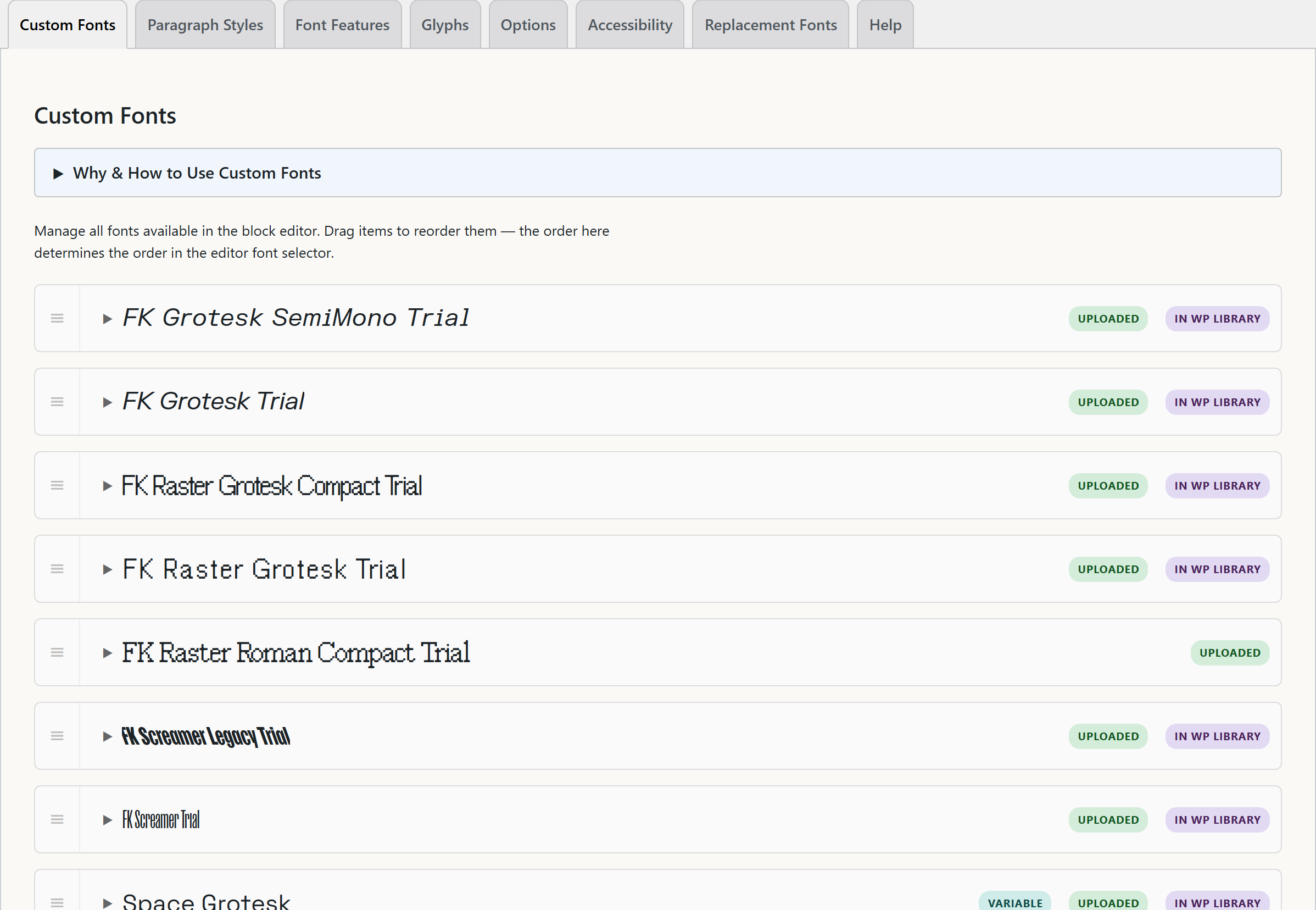
- Go to Settings → Typography Stylist → Custom Fonts.
- Open Upload Font Kit.
- Click Choose ZIP File and select the ZIP file of your webfont kit.
- Click Upload Font Kit.
The plugin extracts the font files and makes the @font-face CSS. Then it adds the font family to the editor font list. The ZIP can contain a CSS file and font files, or only font files. If there is no CSS file, the plugin makes one.
The files go in wp-content/uploads/typography-stylist/fonts/. An .htaccess rule prevents a listing of the files.
A desktop font license usually does not allow web use. Make sure that you have a webfont license for each font that you upload. Also check for page-view limits.
How do I connect Adobe Fonts?
- In Adobe Fonts, create a web project and add the font families you want.
- Copy the embed code (the
<link>tag) from the project. - On the Custom Fonts tab, open Add Adobe Fonts Project.
- Paste the code into Adobe Fonts Embed Code.
- In Font Family Names, type the family names from the project. Separate them with commas.
- Click Add Adobe Fonts Project.
Adobe hosts the files. Your subscription covers the license. Make sure that your domain is authorized in your Adobe Fonts project settings.
What is a custom font definition?
If your theme already loads a font, do not add a second copy. A custom font definition gives Typography Stylist the name and the CSS font family of a font that the page already loads. The font then shows in the editor font list, and the plugin loads nothing more.
What about fallbacks?
Each font can have a list of fallback fonts. The browser uses them while your font loads, and if your font does not load. Choose fallbacks that are similar in width and weight. If you do not, the text moves when the real font arrives.
Will this slow my site down?
The plugin loads a font only on the pages that use it. It looks in the content for the font variables that Typography Stylist writes. It then adds only those @font-face rules. A font that one page uses does not download on other pages.
To load a font on every page, for example a font that only your theme CSS uses, open its card and select Load on all pages.
See Performance and font loading for more information. It explains archive pages and when to clear the cache.